Color Game
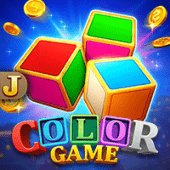
Color Game brings a bright, quick-choice format to the Nunstar game collection. Each round keeps the focus on selecting a color, checking the result, and enjoying a clear rhythm that is easy to follow on a phone.
The uncluttered presentation makes Color Game a practical starting point for players who enjoy compact sessions. You can review the round information before making a choice and keep your play at a comfortable pace.
Ready to explore this Hot Game? Play Color Game at Nunstar and discover a colorful addition to the mobile casino library.
What Is Color Game?
Color Game is a straightforward color-selection title built around short rounds and instantly recognizable choices. Its simple concept lets new players understand the basic flow without a long tutorial, while the changing results keep every round distinct.
The Color Game interface is designed for quick scanning. Color options, round information, and action controls remain easy to identify on a compact screen, so the experience feels natural whether you are using the Nunstar app or a mobile browser.
Players who want to compare different formats can also browse the card library after trying Color Game. For another style of card-focused entertainment, visit Super Ace as part of your wider Nunstar games discovery.
How to Play Color Game
Step 1: Open the game. Sign in through Nunstar and select Color Game from the available game collection. Check that the page has loaded fully before beginning a round.
Step 2: Review the choices. Take a moment to identify the displayed colors and read the round information. Understanding the available options helps keep each decision deliberate.
Step 3: Choose a color. Select the color you want to play for the current round, then review your selection before confirming. Keep your stake within the entertainment budget you set for the session.
Step 4: Check the result. Once the round resolves, the result is shown in the game interface. Use the outcome to understand the next round, not as a promise about future results.
Step 5: Set your pace. Continue only while the session remains enjoyable. Set a time or spending limit in advance and take a break whenever you reach it.
Color Game Features
Clear color choices: The central decision is presented in a direct format, helping players focus on the current round.
Quick round structure: Short sequences make it easy to start a brief session without committing to a lengthy game.
Mobile-first layout: The game is a natural fit for a phone screen, with controls that are easy to locate and use.
Simple learning curve: New players can understand the basic selection flow by reading the displayed instructions.
Flexible discovery: Color Game sits alongside hot titles, slots, fishing games, and live casino options on Nunstar.
Color Game Demo and Session Tips
A Color Game Demo or practice view can be useful for learning where each control appears and how a round is displayed. Use any available demo mode to become comfortable with the interface before deciding whether to play with real stakes.
Keep your approach measured. Choose a session budget, avoid chasing a previous result, and pause when the session stops feeling entertaining. A color result is independent from the previous round, so no color is guaranteed to appear next.
For a different quick-play experience, you can continue your discovery with Toon Crash. Comparing formats can help you find the games that best match your preferred pace.
Color Game Questions
Is Color Game easy to learn?
Yes. The core flow is based on choosing a displayed color and reviewing the round result. Read the in-game instructions before your first selection.
Can I play Color Game on mobile?
Nunstar is designed for mobile browsing, and Color Game uses a compact interface that fits comfortably on supported phone screens.
Does a previous result predict the next color?
No. Treat every round as a separate result and avoid assuming that a color is due to appear.
How should I manage a session?
Set a time and spending limit before you start, keep stakes consistent with that plan, and stop when you reach your limit.
Where can I find other games?
Use the Nunstar menu to browse the casino, promotions, and game categories, then choose another title when you are ready for a different format.
Related Games




Explore more Nunstar games with Pinata Wins.
Ready to Play Color Game?
Find your preferred pace, keep your choices considered, and enjoy Color Game as part of a balanced Nunstar session. Always play responsibly and follow the rules shown in the game.